The earnings, benefits and deductions used for the StaffScheduleCare payroll must be configured before they may be assigned to an employees. This section defines the specific Benefits and Deductions and the applicable amounts which apply to employee with each payroll run. Benefits are always the employer's portions and deductions are the employees'.

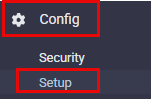
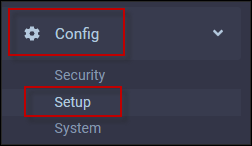
To add the Earnings, Benefits and Deductions to StaffScheduleCare using the list provided by the client: ▪Select the Config menu. ▪Select the Setup menu.
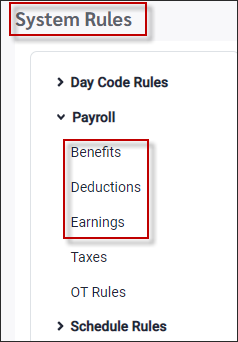
▪Select System Rules. ▪Select Payroll. ▪Select Benefits, Deductions or Earnings.
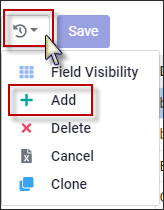
To add the Benefits, Deductions and Earnings: ▪Click on the Actions icon. ▪Select Add.
Benefits Code + ER (short for employer). For example: DENTAL-ER. Benefits are always employer amounts.
Deductions Code (example: DENTAL). Deductions are always employee amounts.
Earnings Code (example: CELL). Additional earnings on top of regular.
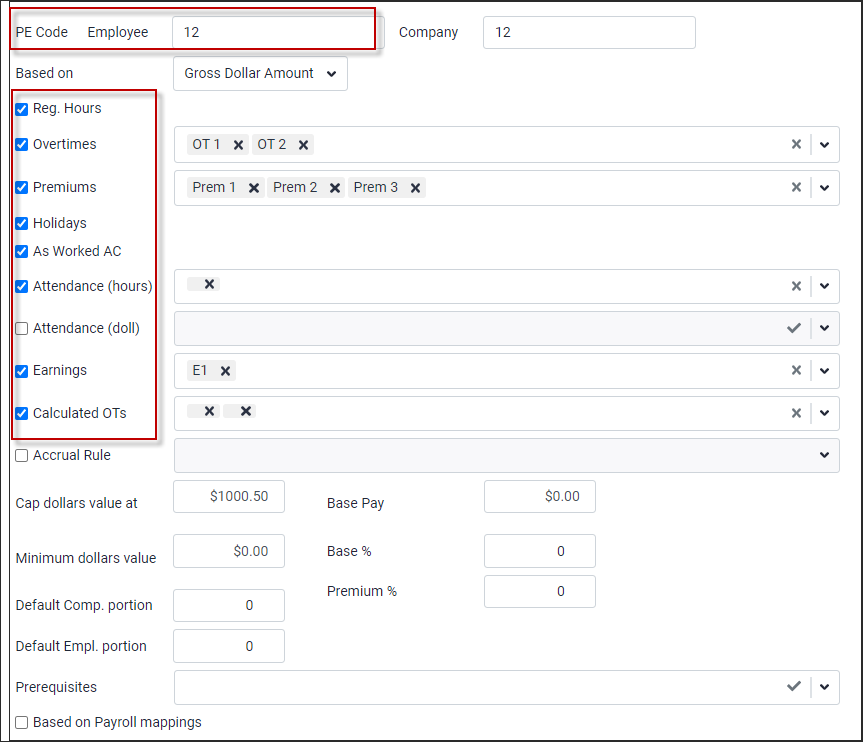
As you create each benefit or deduction enter the detail of any Attendance Codes, premiums, Overtimes, and earnings codes that contribute. This information will be provided by the client. Multiple benefits may be mapped to the same PE code. StaffScheduleCare will send one total amount across to PE.
|
Link Earning Rules for Calculation
The system will allow you to select which additional earnings rule can contribute to the Earnings calculation.
Example: The client’s Allowance in Lieu includes the vacation pay for part-time employees. These two earnings need to be linked when calculating.
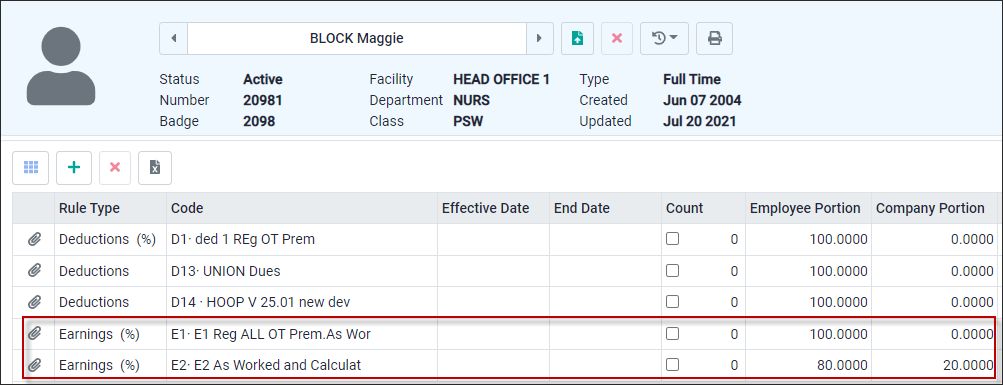
Rule E2 needs to contribute to the amount of E1 when calculated. Tick on the Earnings box and select the rule using the drop-down list to link E2 rule to E1.
This means whenever the E1 rule is calculated it will automatically include any amounts calculated by the E2 rule. If required more than one rule may be linked to a rule.
|

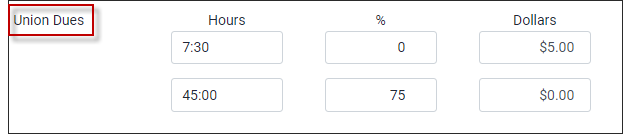
This feature is used to calculate Union Dues thresholds.
Example: 7.5 hours or less = $5.00 Deduction 7.6 hours to 45 hours = hourly rate x Union Due rate (ex. $20.00 x 0.75 = $15 union due) 45.1 hours or more = hourly rate x Union Due rate (ex. $20.00 x 1.07 = $21.40 union due)
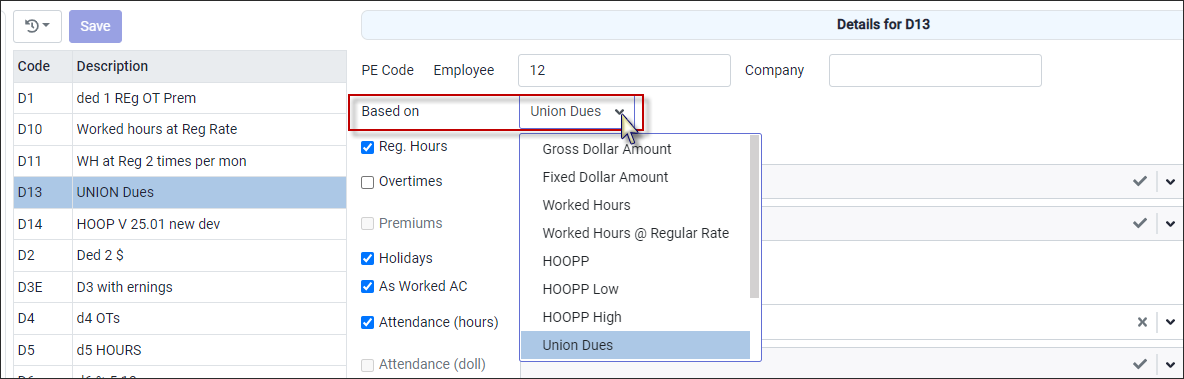
Configuration is under System Rules / Payroll / Deductions. A new section based on Union Due. Example: Added code D13 and linked to Union Due.
▪Click Actions icon and select Add.
▪In the new line, add the Code and Description. ▪Click Save. ▪Click on the Based On drop-down arrow. From the list select Union Dues.
At the bottom of the detail menu is the Union Dues rule configuration.
|

StaffScheduleCare can be configured to handle both employee and employer pension benefits/deduction. The system will calculate the high and low of the calculation. Set up the Benefit / Deduction codes.
▪Click Actions icon and select Add.
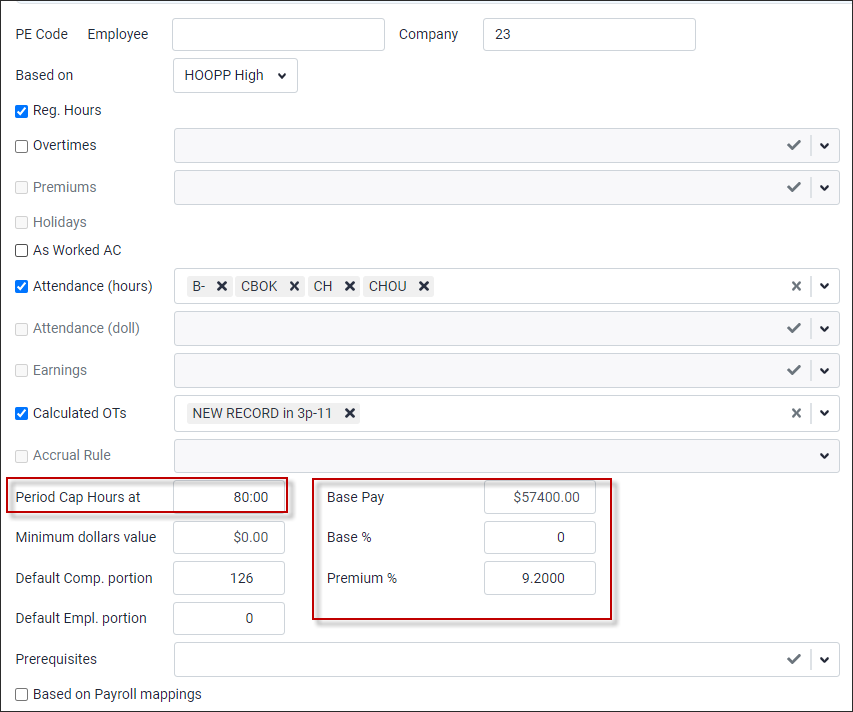
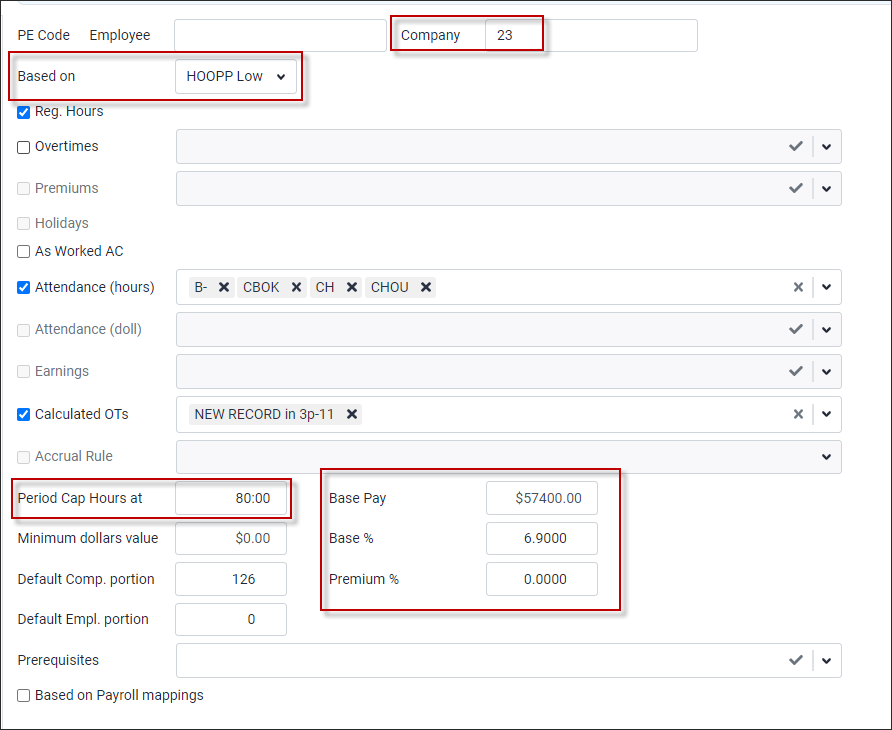
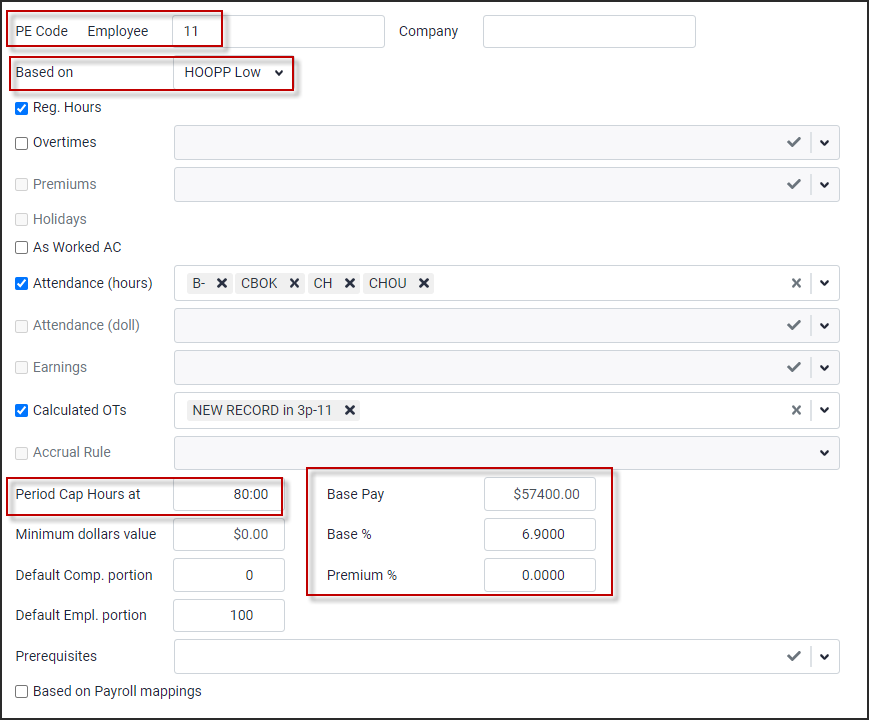
1. When creating a benefit, enter a company code number. For a deduction enter an employee code number. 2. Enter the Attendance Codes and / or hours options as per the pension agreement. 3. If there is a cap on the dollars enter the amount here. 4. Base Pay is an amount is provided to the client as part of the pension plan agreement. Base % is the base percent used to calculate amount under the base pay. Premium % is used to calculate the amount over the base pay.
Sample Benefit Configuration
Below are examples of the benefit (employer) and deduction (employee) codes setup using HOOPP as the pension plan.
The screenshot below is an example of the employer Benefit HOOPP High.
The screenshot below is an example of the employer Benefit HOOPP Low.
Sample Deduction Configuration Below are examples of the benefit (employer) and deduction (employee) codes setup using HOOPP as the pension plan.
The screenshot below is an example of the employee Deduction HOOPP High.
The screenshot below is an example of the employee Deduction HOOPP Low.
|


YMPE Described
The Year's Maximum Pensionable Earnings (YMPE) is the annual earnings ceiling set by the Canada Revenue Agency used to calculate CPP and maximum pension contributions. Earnings above this threshold are not subject to CPP deductions.
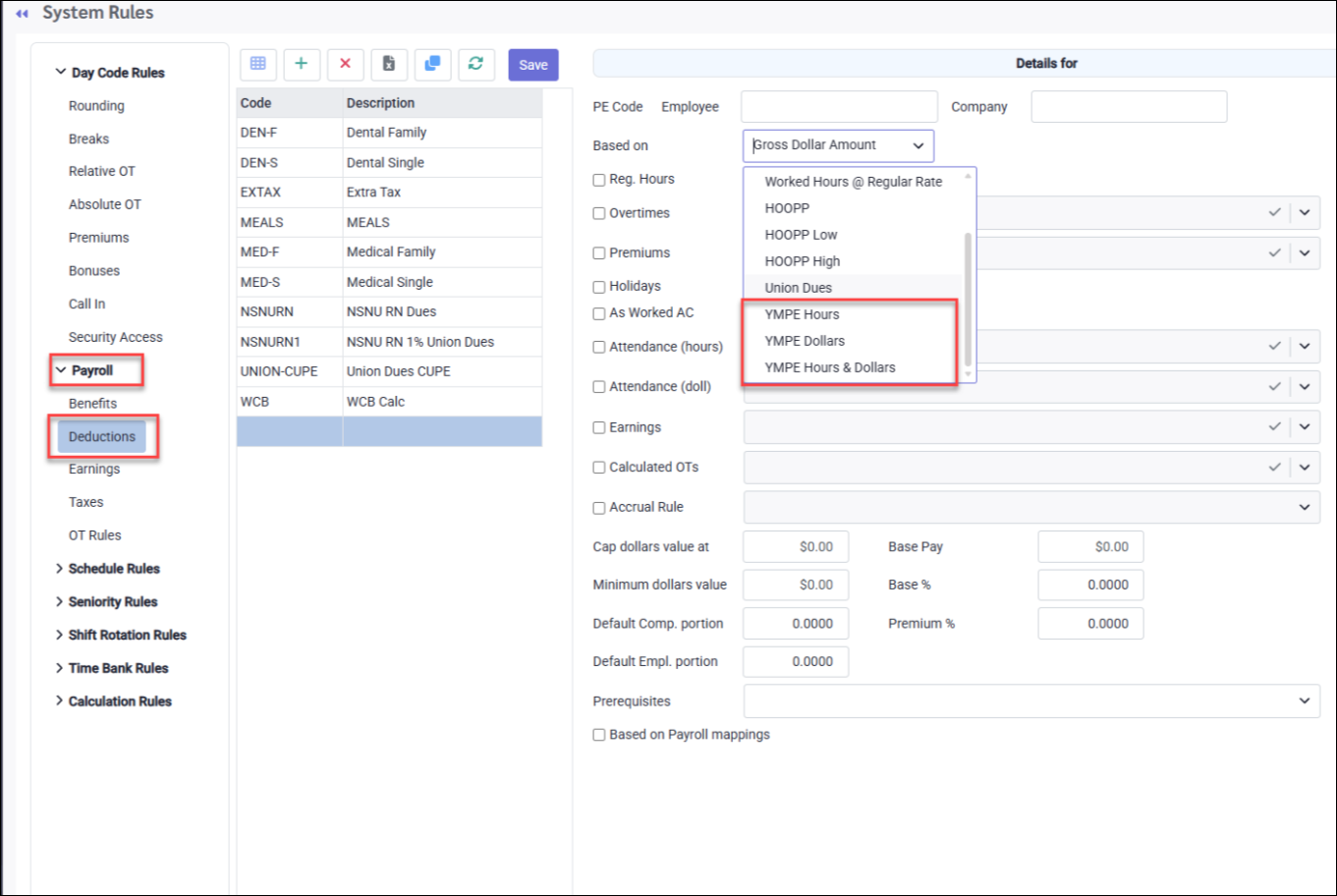
StaffScheduleCare payroll supports three YMPE-based deduction calculation methods, configured under:
▪Config ▪Setup
▪System Rules ▪Payroll ▪Deductions - Based On (drop-down menu)
All three methods share the following:
▪The same annual YMPE ceiling set by the CRA. ▪Values defined in the payroll rule: Base Pay, Base Percent, and Premium Percent. ▪All hours included in the payroll rule are factored into any calculation. ▪The employee's rate is always evaluated on the last date of the pay period.
The method chosen determines whether the YMPE threshold is tracked in dollars, hours, or a combination of both, and controls how premium and overtime earnings are treated.
YMPE Dollars
Tracks the YMPE threshold using total earnings. All included Attendance Codes contribute to the calculation. Regular hours, statutory holidays, overtimes, premiums, As Worked codes, and calculated overtimes are all summed into a single total earnings figure.
When the employee's rate meets or exceeds Base Pay, the entire total earnings amount is multiplied by Premium Percent. Unlike the Hours and Hours & Dollars methods, there is no split between a base portion and a premium portion . The premium percent applies to the full earnings amount. When the rate falls below Base Pay, total earnings are multiplied by Base Percent only. Deductions continue until cumulative year-to-date earnings reach the YMPE dollar ceiling.
Common values for both examples:
▪Base Pay: $12.00 ▪Base Percent: 5% ▪Premium Percent: 8%
Total Hours / Earnings:
▪Regular: 75 hours × $20.00 = $1,500.00 ▪OT1: 5 hrs × $30.00 = $150.00 ▪Vacation Paid: 10 hrs × $18.00 = $180.00 ▪Total Earnings = $1,830.00:
Example 1: Rate Meets or Exceeds Base Pay (Rate = $20.00): Rate ($20.00) ≥ Base Pay ($12.00), so Premium Percent applies to the full earnings amount: Deduction = $1,830.00 × 8% = $146.40
Example 2: Rate Falls Below Base Pay (Rate = $10.00): Rate ($10.00) < Base Pay ($12.00), so Base Percent applies: Deduction = $1,830.00 × 5% = $91.50
YMPE Hours
Tracks the YMPE threshold using total hours worked. Regular hours, statutory holidays, overtimes, Attendance Code hours and premiums are summed based on what is included in the payroll rule. When the employee's rate meets or exceeds Base Pay, the deduction is split into two portions: a base portion (Base Pay × total hours × Base Percent) and a premium portion where only the overage above Base Pay (Rate − Base Pay) is multiplied by total hours and Premium Percent. This means the premium rate applies only to the portion of the rate that exceeds Base Pay, not to the full rate. When the rate falls below Base Pay, total hours are multiplied by the rate and Base Percent only, with no premium portion. Deductions continue until cumulative year-to-date hours reach the YMPE hours equivalent.
Common values for both examples:
▪Base Pay: $12.00 ▪Base Percent: 5% ▪Premium Percent: 8%
Total Hours:
▪Regular: 75 hours ▪OT1: 5 hours ▪Vacation Paid: 10 hours ▪Total: 90 hours
Example 1: Rate Meets or Exceeds Base Pay (Rate = $20.00): Rate ($20.00) ≥ Base Pay ($12.00), so the deduction is split: Base portion = $12.00 × 90 × 5% = $54.00 Premium portion = ($20.00 − $12.00) × 90 × 8% = $8.00 × 90 × 8% = $57.60 Total Deduction = $54.00 + $57.60 = $111.60
Example 2: Falls Below Base Pay (Rate = $10.00): Rate ($10.00) < Base Pay ($12.00), so Base Percent applies only: Deduction = $10.00 × 90 × 5% = $45.00
YMPE Hours & Dollars
A hybrid method that tracks both hours and earnings, but applies them differently than the other two methods. Premiums are excluded from the hours total. Only regular, statutory holiday, and overtime hours are summed. Premium earnings are calculated separately in dollars and folded into the premium portion of the deduction.
When the employee's rate meets or exceeds Base Pay, the deduction is split into two portions: a base portion (Base Pay × total hours × Base Percent) and a premium portion where Premium Percent is applied to the combined value of the overage above Base Pay on hours, plus the premium dollar earnings amount. As with YMPE Hours, the premium rate applies only to the overage above Base Pay for the hours component, not to the full rate, with premium dollar earnings added alongside. When the rate falls below Base Pay, only the hours-based calculation at Base Percent applies; the premium dollar component is not added. Deductions continue until cumulative year-to-date hours and earnings reach the YMPE ceiling.
Common values for both examples:
▪Base Pay: $12.00 ▪Base Percent: 5% ▪Premium Percent: 8%
Total Hours (regular and overtime only, premiums excluded):
▪Regular: 75 hours ▪OT1: 5 hours ▪Total: 80 hours
Premium Earnings (calculated separately in dollars):
Vacation Paid: 10 hrs × $18.00 = $180.00 Example 1: Rate Meets or Exceeds Base Pay (Rate = $20.00): Rate ($20.00) ≥ Base Pay ($12.00), so the deduction is split: Base portion = $12.00 × 80 × 5% = $48.00 Premium portion = (($20.00 − $12.00) × 80 + $180.00) × 8% = ($640.00 + $180.00) × 8% = $820.00 × 8% = $65.60. Total Deduction = $48.00 + $65.60 = $113.60
Example 2: Rate Falls Below Base Pay (Rate = $10.00): Rate ($10.00) < Base Pay ($12.00), so the premium dollar amount does not apply: Deduction = $10.00 × 80 × 5% = $40.00
|